Turn your Live Pace Band into a race day app.
Save your personal Live Pace Band to your phone’s home screen, open it full-screen on race day, and track your splits without digging through email or browser tabs.
RACE TIMER
How it works
Your Live Pace Band is a private web app link. Open it, save it to your home screen, then use it like a race day pacing app.
Use the Live Pace Band link from your order confirmation email.
Save it like an app so it is easy to find before and during your race.
Tap Start at the line and use Lap at each mile or kilometer marker.
Add to Home Screen
Choose your device. Tap any screenshot to enlarge it.
Open your Live Pace Band in Safari, then tap the Share icon.
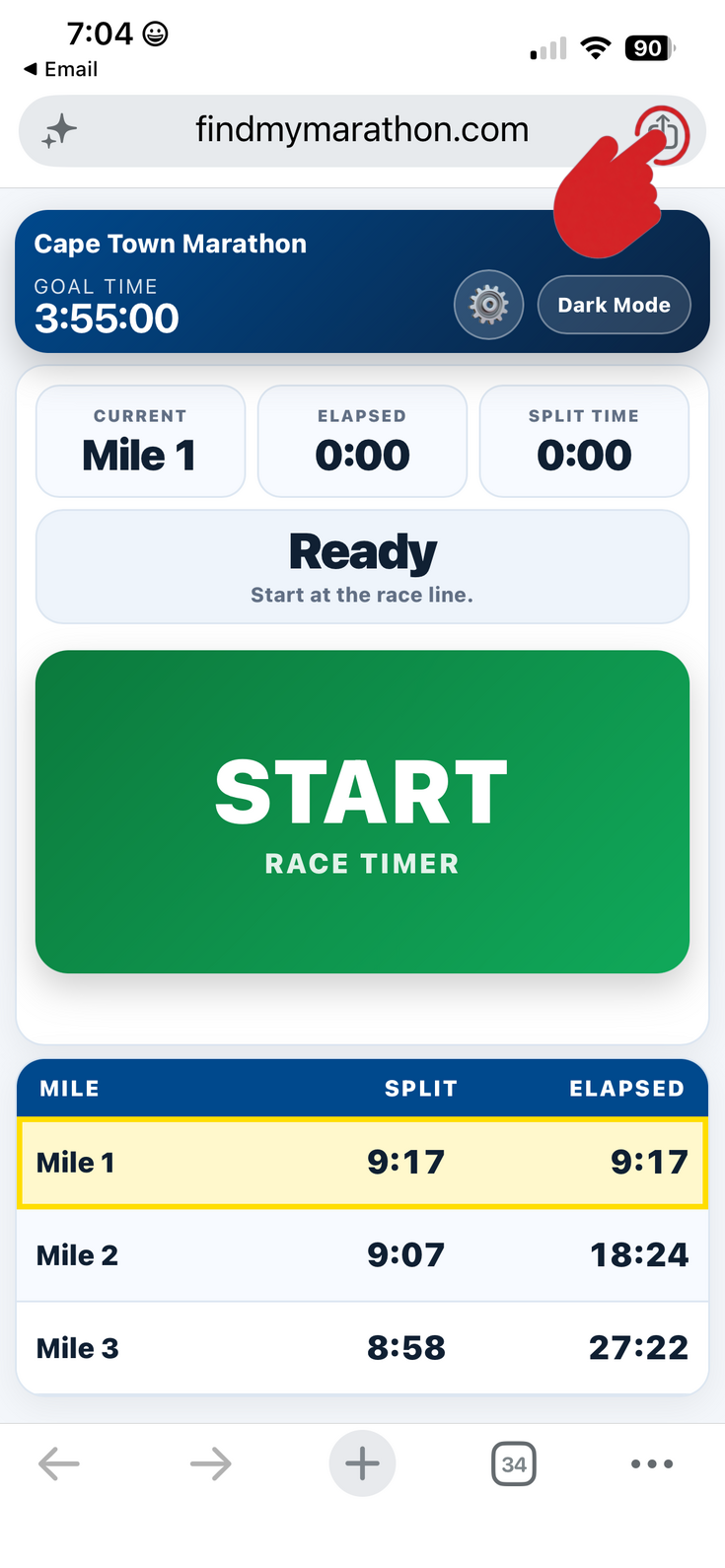
If Add to Home Screen is hidden, tap View More to expand the list.
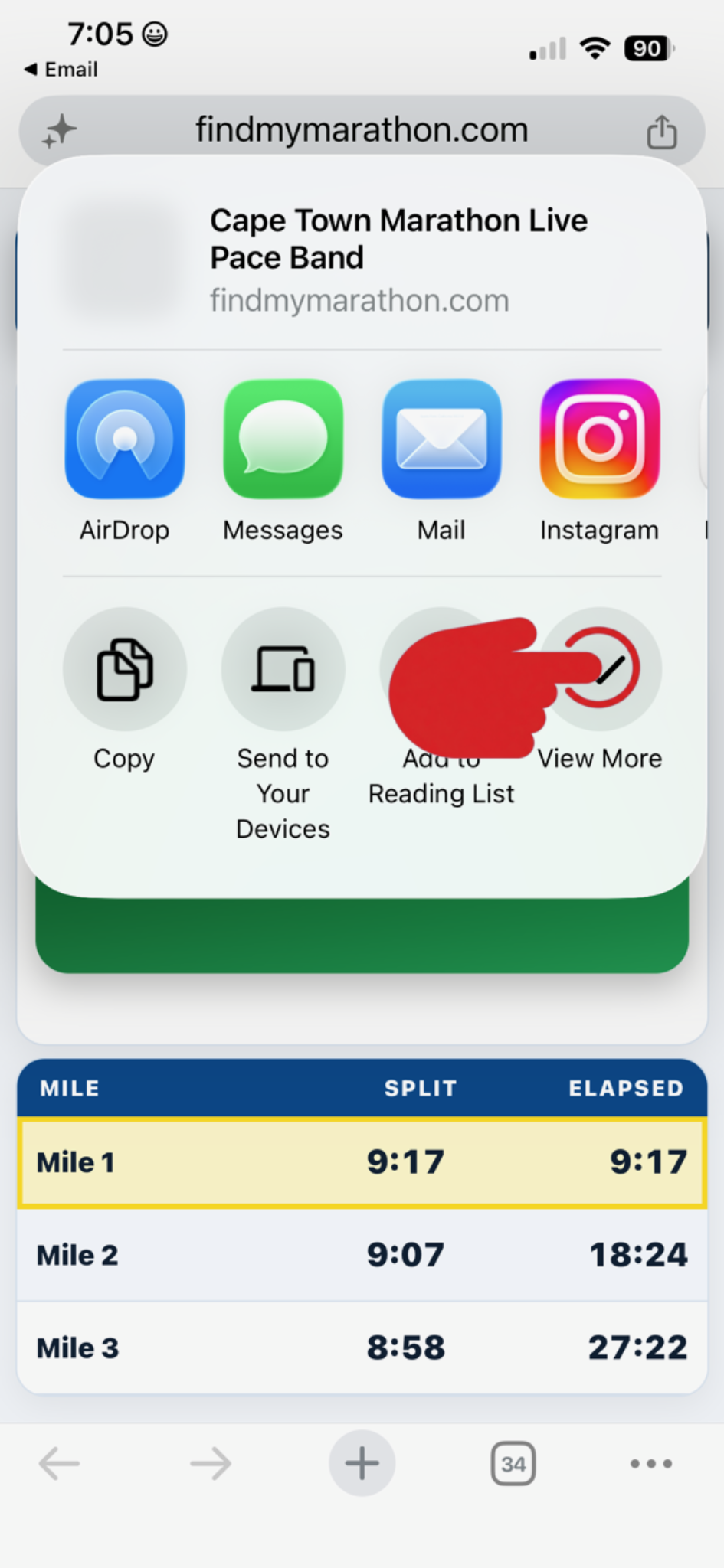
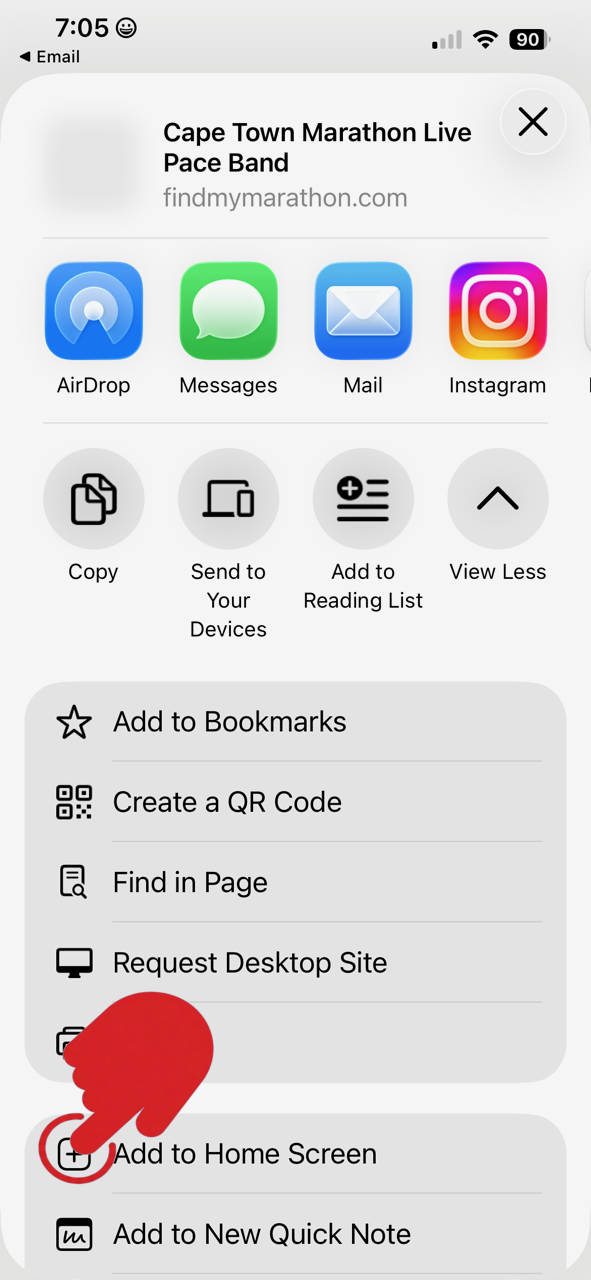
Select Add to Home Screen from the Safari share menu.
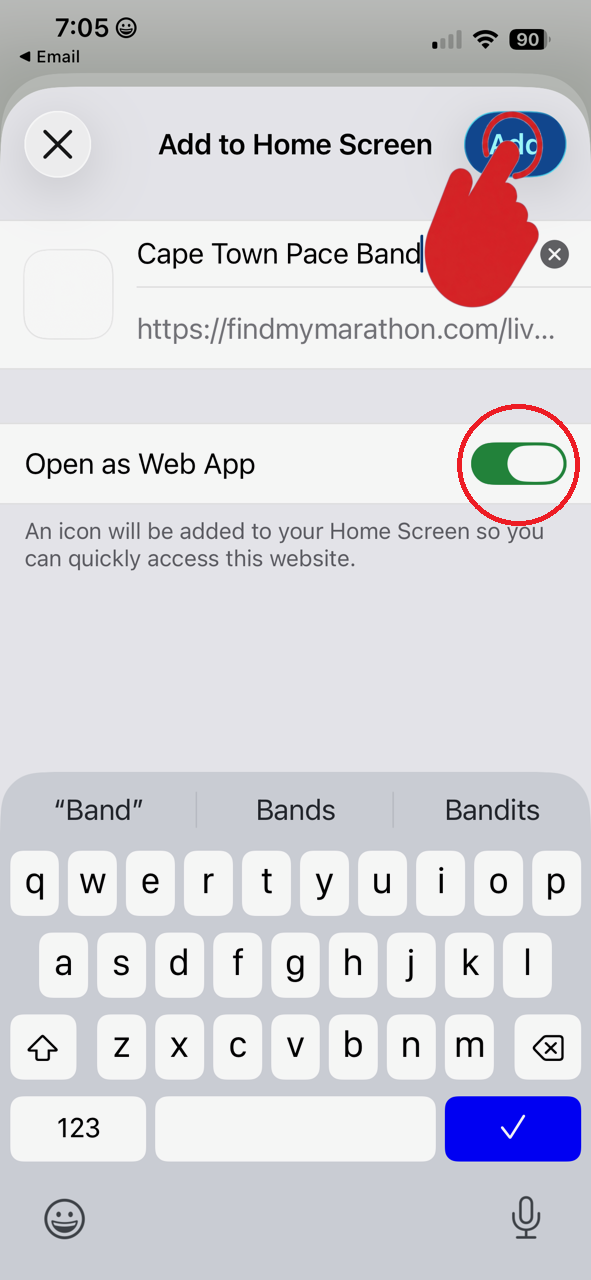
Keep Open as Web App turned on for the best full-screen experience.
Open your personal Live Pace Band link in Google Chrome.
Tap the three-dot menu in the top-right corner.
Choose Add to Home screen or Install app, depending on your Android version.
Tap Add or Install. Then launch it from your home screen on race day.
Race day checklist
Do these before you get to the start line.
Do this before race morning.
Confirm your race, goal time, and splits look correct.
Start with a full battery and avoid low-power surprises.
Tap Lap at each mile/km marker to compare actual vs planned pace.